
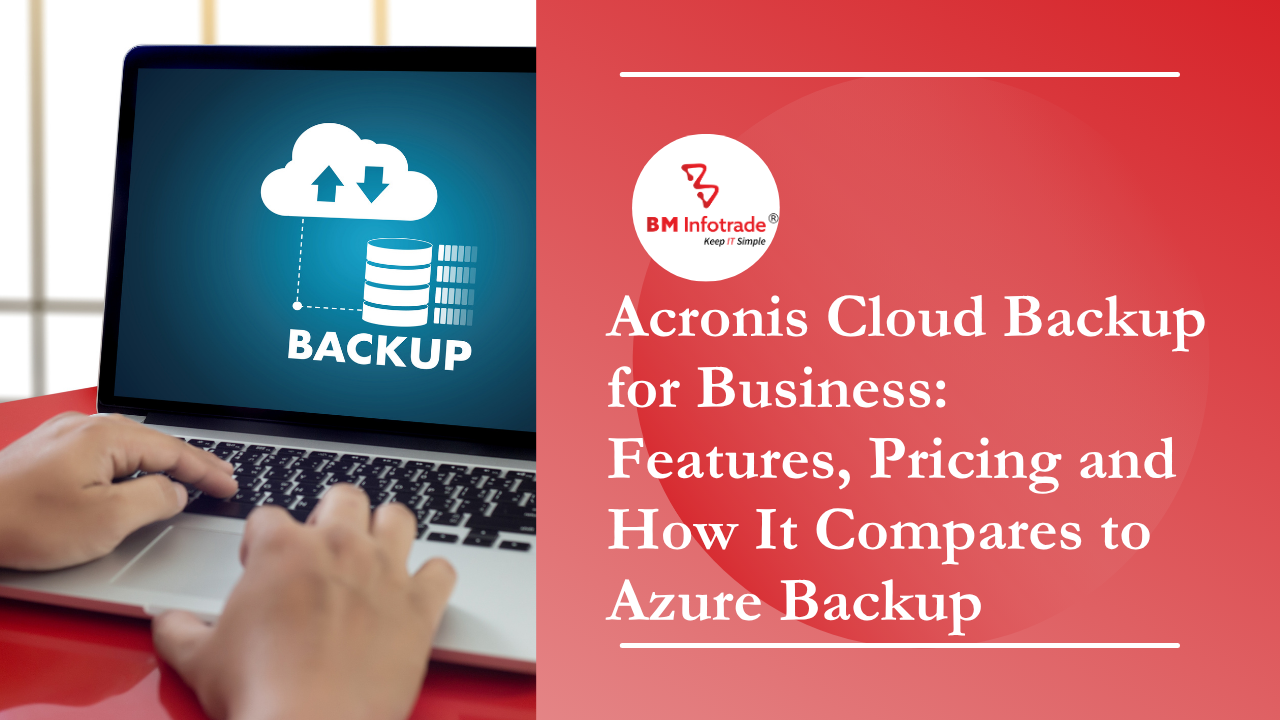
Acronis Cloud Backup for Business: Features, Pricing and How It Compares to Azure Backup
Explore Acronis Cloud Backup for Business to protect critical business data, applications, and workloads with secure cloud backup, centralized management, disaster recovery, and ransomware protection. Compare key features and pricing options, and understand how BM Infotrade can help businesses deploy and manage reliable Acronis backup solutions.
30
Sep
Acronis Cloud Backup for Business: Features, Pricing and How It Compares to Azure Backup
Published 30 Sep 2026 Updated 30 Sep 2026 Written and reviewed by Anshul Goyal
Table of Contents
- What is Acronis Cloud Backup for Business?
- Who needs cloud backup for business?
- Key features of Acronis Cloud Backup for Business
- How much does Acronis cloud backup cost in India?
- What is Azure Backup?
- Acronis vs Azure Backup: side-by-side comparison
- Beyond Acronis and Azure: other enterprise backup options
- Why choose BM Infotrade for business backup in India?
- How to choose the right business backup: a 6-step checklist
- Common mistakes to avoid
- Frequently asked questions
- Talk to BM Infotrade about your backup plan
Acronis Cloud Backup for Business (sold as Acronis Cyber Protect Cloud) protects servers, PCs, virtual machines, Microsoft 365 and Google Workspace from one console, with built-in ransomware defence. It is usually priced per workload or per GB of storage. Azure Backup is Microsoft's native service, best for Azure-heavy environments, and is priced per protected instance plus storage used. Mixed environments often favour Acronis. Azure-first setups often favour Azure Backup. BM Infotrade, a Jaipur-based IT partner serving India since 1996, helps businesses choose, size and deploy the right backup and disaster recovery solution.
What is Acronis Cloud Backup for Business?
Acronis Cloud Backup for Business is a managed backup service that copies your business data to a secure cloud location, or to a hybrid mix of local and cloud storage. You can then restore it after ransomware, hardware failure, accidental deletion or a site outage.
Acronis sells this as Acronis Cyber Protect Cloud, which combines three things in one agent:
1. Backup and recovery for files, disks, full machines and applications
2. Cybersecurity, including anti-ransomware and anti-malware protection
3. Endpoint management, such as patching and vulnerability assessment
That combination is its main selling point. Instead of buying a backup tool, an antivirus and a patching tool from three vendors, an IT team manages one product.
Acronis is normally bought through authorised service providers, not directly. Whichever vendor you pick, the design decisions matter more than the logo: what to protect, how fast you must recover, and where the copies live. BM Infotrade's Backup & DR service starts from those questions.
Who needs cloud backup for business?
Any company that would lose money if its data disappeared for a day. In practice that includes:
- SMEs running a file server, accounting software or ERP on-premises
- Companies on Microsoft 365 that assume Microsoft backs up everything. Microsoft protects the service, not your ability to recover from deletion or ransomware. Our Modern Workspace team sets up Microsoft 365 and Google Workspace and can advise on protecting that data.
- Hybrid and remote teams whose laptops hold business-critical files
- Regulated sectors such as healthcare, BFSI and manufacturing, which must prove they can recover data
- Businesses with virtual servers on VMware, Hyper-V or a mix of platforms
Backup is one part of disaster recovery, not the whole of it. If you're building a continuity plan, start with our explainer on how a business continuity plan works and our practical approach to disaster recovery.
Key features of Acronis Cloud Backup for Business
1. Wide workload coverage
Acronis protects physical servers, virtual machines, Windows and Mac workstations, mobile devices and SaaS data such as Microsoft 365 and Google Workspace. Supported hypervisors include VMware vSphere and Microsoft Hyper-V. Confirm the exact supported-platform list for your version before buying.
2. Image-based and file-level backup
You can back up an entire machine as an image (operating system, applications, settings and data) or select specific files and folders. Image backups let you rebuild a failed server quickly instead of reinstalling everything.
3. Bare-metal and dissimilar hardware recovery
Acronis can restore a system image to new hardware, even if it differs from the original. This matters when a server dies and the identical model is no longer available.
4. Built-in anti-ransomware protection
Acronis's active protection watches for ransomware-like behaviour, can stop an attack and can roll back affected files. Backup plus ransomware defence is why many businesses choose it over backup-only tools. It complements, but does not replace, a proper antivirus and endpoint protection layer and perimeter firewall.
5. Microsoft 365 and Google Workspace backup
Acronis can back up Exchange Online mailboxes, OneDrive, SharePoint and Teams data. Native retention in Microsoft 365 is not the same as a true backup, so review your retention gaps.
6. Flexible storage destinations
Choose Acronis-hosted cloud storage, a partner-hosted data centre, or your own storage such as local disk, NAS or public cloud. If you have data residency requirements, ask your provider where the data physically sits.
7. Central management console
One web dashboard lets an admin monitor backup status, set policies and restore data across every device. This helps lean IT teams and multi-branch companies.
8. Encryption and integrity
Data is encrypted in transit and at rest. Acronis also offers notarization features to help prove a backup has not been altered.
9. Fast recovery options
Depending on the plan, you can restore files, restore whole machines, or run a virtual machine directly from a backup to cut downtime while the full restore completes.
How much does Acronis cloud backup cost in India?
Acronis pricing is not one flat number. It depends on the licensing model, the workloads you protect and the storage you use.
| Pricing factor | What it means |
|---|---|
| Per-workload model | A fixed fee per protected device (server, VM, workstation), with storage included or sold separately |
| Per-GB model | You pay for the cloud storage you consume, plus a lower per-device fee |
| Workload type | Servers and VMs cost more than workstations. Microsoft 365 is priced per user or mailbox |
| Advanced packs | Extras such as advanced backup, disaster recovery or email security are add-ons |
| Retention and volume | Longer retention and larger data sets raise cost |
| Billing | Monthly, annual or multi-year, in INR through a partner |
Buyer tip: Compare the price per protected workload including storage, retention and the security features you need. A cheap backup-only plan can end up costing more once you add antivirus and patching separately.
Want a right-sized number? Request a quote from BM Infotrade and we'll price it against your workloads and recovery targets. If backup storage or hosting is inflating your cloud bill, our Cloud Cost Optimization team can review that too.
What is Azure Backup?
Azure Backup is Microsoft's built-in, pay-as-you-go backup service. It stores backup data in a Recovery Services vault or Backup vault and integrates natively with Azure identity, security and monitoring.
It can protect:
- Azure virtual machines
- SQL Server and SAP HANA databases running in Azure VMs
- Azure Files shares, Blobs and managed disks
- On-premises files, folders and system state through the MARS agent
- On-premises servers and workloads through Microsoft Azure Backup Server (MABS)
Pricing has two main parts: a fee per protected instance (based on size) and the storage consumed, which varies by redundancy option such as LRS, ZRS or GRS. Azure also provides soft delete, immutable vaults and role-based access control.
Azure Backup handles backup only. Azure Site Recovery is a separate service for replication and failover. New to the platform? Read what Azure is and how it works. BM Infotrade is a Solutions Partner for Infrastructure (Microsoft Azure) and supplies Azure licences through our Public Cloud practice.
Acronis vs Azure Backup: side-by-side comparison
| Criteria | Acronis Cyber Protect Cloud | Azure Backup |
|---|---|---|
| Best for | Mixed environments (on-prem, multi-cloud, endpoints, SaaS) | Azure-centric workloads and Microsoft-heavy stacks |
| Vendor type | Third-party backup and cyber protection vendor | Native Microsoft Azure service |
| Laptop / PC backup | Strong, built in | Limited. Not its primary purpose |
| Microsoft 365 backup | Yes (Exchange, OneDrive, SharePoint, Teams) | Not the standard route |
| Built-in anti-ransomware | Yes | No. Use Microsoft Defender or other tools alongside |
| Azure VM backup | Supported | Native, deeply integrated |
| On-prem server backup | Yes | Yes, via MARS or MABS, with more setup |
| Management | One console for backup and security | Azure Portal, per-vault policies |
| Pricing model | Per workload and/or per GB, via partners | Per protected instance plus storage consumed |
| Cost predictability | Higher with fixed per-workload plans | Varies with data growth and redundancy choice |
| Setup effort | Low to moderate | Low inside Azure, moderate on-premises |
When Acronis is the better choice
- You need laptops, servers, VMs and Microsoft 365 protected in one tool
- You want backup and ransomware protection together
- You run VMware, Hyper-V or several platforms, not just Azure
- You want predictable per-device billing
When Azure Backup is the better choice
- Most of your workloads already run on Azure
- You want native integration with Azure RBAC, Monitor and policy
- You back up Azure VMs, SQL or Azure Files and want minimal extra tooling
- Your compliance team prefers a single-vendor Microsoft architecture
When to use both
Some businesses use Azure Backup for Azure-hosted servers and Acronis for endpoints and Microsoft 365. It works if one team can manage both consoles. If you're still deciding where workloads should live, our Cloud Migration service plans that move first, and backup is designed around the result.
Beyond Acronis and Azure: other enterprise backup options
A fair comparison should mention that Acronis and Azure Backup are not the only choices. Enterprises often shortlist:
- Veeam Backup & Replication, popular for virtualised data centres
- Barracuda backup appliances, which combine on-site appliance speed with offsite copies
- Commvault, suited to large, complex, multi-workload estates
BM Infotrade deploys Veeam Backup & Replication and Barracuda backup appliances, holds a Commvault authorisation, and works with Azure Backup. That lets us recommend on fit, not on what we happen to stock.
Learn more on our Backup and Restore solutions page.
Why choose BM Infotrade for business backup in India?
Buying licences is easy. Designing a backup that restores on your worst day is the hard part. Here is what BM Infotrade brings:
- Vendor-neutral advice. Our backup portfolio spans Veeam, Barracuda, Commvault and Azure, so the recommendation follows your environment.
- Nearly 30 years of experience. BM Infotrade has served organisations across India since 1996, is ISO 9001:2015 certified, and works with 40+ OEMs. Read about BM Infotrade.
- Recovery targets first. We design around your RTO and RPO, and help set retention policies that meet compliance needs without wasting storage.
- Cloud, on-premise or hybrid. We deploy the model that fits, and our Data Center team covers disaster recovery sites and infrastructure.
- Proof of concept before you commit. We validate the solution with a POC so you see it work first.
- Managed services, 8x5 or 24x7. Ongoing support is available after go-live.
- Security-aware design. Backup is safer when paired with monitoring. Our 24x7 SOC and wider cyber security services help detect threats before they reach your backups.
- Proven in the field. See our ransomware attack prevention and data recovery case study, our disaster recovery implementation, and our email migration to Microsoft 365.
- Recognised. BM Infotrade was named VARINDIA 2025 Most Promising Partner.
Local teams in Jaipur and Gurugram serve clients PAN India, Monday to Saturday, 10:00 to 6:30.
How to choose the right business backup: a 6-step checklist
- 1. Inventory your workloads. List servers, VMs, laptops, databases and SaaS apps. Check whether your server and storage setup can support local backup targets.
- 2. Set RTO and RPO. How long can you be down, and how much data can you lose?
- 3. Decide where data must live. Check regulatory and customer requirements.
- 4. Follow the 3-2-1 rule. Keep 3 copies on 2 different media, with 1 offsite, ideally immutable.
- 5. Compare total cost. Include storage growth, retention, security add-ons and support. Read why data backup and recovery matters before you set budgets.
- 6. Test the restore. Run a real restore before you need one.
Need the software licences too? See our software products and End User Computing offerings for laptops, desktops and licensing under one partner.
Common mistakes to avoid
- Assuming Microsoft 365 is already backed up. Recycle bins and native retention are not a full backup.
- Keeping backups on the production network. Ransomware can encrypt those too. Use immutable or offsite copies.
- Never testing restores. Many failures are found only during an incident.
- Choosing on price per GB alone. Recovery speed, support and security matter as much.
- No documented plan. Backup without a written recovery plan leaves teams improvising in a crisis.
Frequently asked questions
1. What is Acronis Cloud Backup for Business?
It is a cloud backup service, sold as Acronis Cyber Protect Cloud, that backs up servers, VMs, PCs and Microsoft 365 data and adds ransomware protection, managed from one console.
2. How much does Acronis cloud backup cost in India?
Cost depends on the number of workloads, storage used, retention period and add-ons. Pricing is generally per workload or per GB. Contact BM Infotrade for an INR quote based on your environment.
3. Is Acronis better than Azure Backup?
Neither is better for everyone. Acronis suits mixed environments with endpoints and Microsoft 365. Azure Backup suits workloads running mostly in Azure.
4. Does Azure Backup protect laptops and Microsoft 365?
Azure Backup is designed mainly for Azure workloads and server-class on-premises workloads. For laptops and full Microsoft 365 backup, a tool such as Acronis is usually simpler.
5. Can I use Acronis and Azure Backup together?
Yes. Some organisations use Azure Backup for Azure VMs and Acronis for endpoints and SaaS data, at the cost of managing two consoles.
6. Is Acronis safe against ransomware?
Acronis includes active anti-ransomware protection and supports offsite, encrypted backups, which reduces risk. No product is a guarantee, so combine it with access controls, monitoring and tested restores.
7. Which backup solutions does BM Infotrade offer?
BM Infotrade offers backup and disaster recovery using platforms such as Veeam, Barracuda and Commvault, plus Azure-based options. Contact the team to match the right one to your workloads.
Talk to BM Infotrade about your backup plan
Whether you choose Acronis, Azure Backup or another platform, the goal is the same: recover quickly when something goes wrong.
Contact BM Infotrade or use the enquiry form for a free consultation. Call +91 93145 08367 or +91 98291 89200, or email sales@bminfotradegroup.com.
Related reading:
Anshul Goyal
Group BDM at B M Infotrade | 11+ years Experience | Business Consultancy | Providing solutions in Cyber Security, Data Analytics, Cloud Computing, Digitization, Data and AI | IT Sales Leader