
Cloud Cost Optimisation Services: How to Cut Your Monthly Bill by 20–40%
Learn how Cloud Cost Optimisation Services can help businesses reduce unnecessary AWS and Azure spending through cost analysis, resource optimisation, rightsizing, and ongoing cloud cost monitoring.
28
Sep
Cloud Cost Optimisation Services: How to Cut Your Monthly Bill by 20–40%
Published 28 Sep 2026 Updated 28 Sep 2026 Written and reviewed by Anshul Goyal
Table of Contents
- What Are Cloud Cost Optimisation Services?
- How Can Cloud Costs Be Reduced by 20–40%?
- Step-by-Step Cloud Cost Optimisation Process
- In-House vs Tools vs Managed Cloud Cost Optimisation Services
- Benefits of Cloud Cost Optimisation Services
- Common Cloud Cost Optimisation Mistakes
- Best Practices and Expert Tips
- People Also Ask: FAQs
- Conclusion
- External Authority Suggestions
Cloud cost optimisation seeks to streamline cloud service spending for AWS, Azure, and Google Cloud while maintaining performance and security. Idle resources and oversizing cloud compute resources can cause variable monthly cloud costs to grow. Storage resources with little value can be purchased without significant commitments, and an organisation may show weak cost ownership.
The savings from the cost optimisations described will depend on the architecture of the cloud resources and the workload stability.
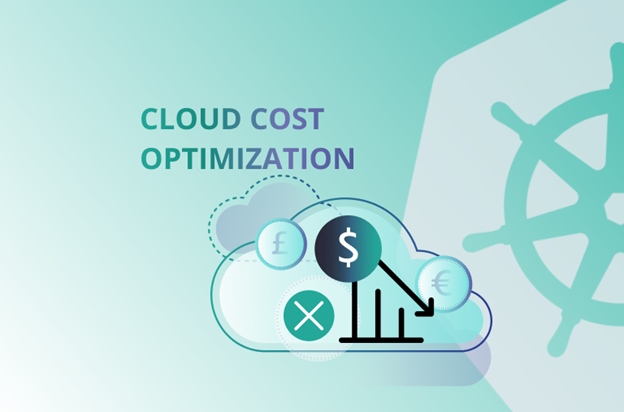
Cloud cost optimisation entails the analysis of billing and utilisation data. Then, resources that are either idle or oversized are eliminated. Storage transfers, autoscaling, and data transfers may be optimised. Finally, appropriate reservations and discounts will be implemented.
Monthly cloud optimisation bills may decrease anywhere from 20 to 40 per cent if the appropriate commitments are made, but it is not guaranteed. Resources that do not provide business value should be removed.
Compute, storage, databases, and containers should be the appropriate size. Variable resources should be scheduled or autoscaled. Only stable, variable workloads should be committed. Cost should be tracked for each product or team or customer or transaction.
Each of the above should be viewed as a FinOps process that is ongoing and never complete.
What Are Cloud Cost Optimisation Services?
Cloud cost optimisation services are a combination of advisory and managed FinOps services and cloud cost engineering. Their purpose is to balance cloud spending to business value.
Cloud cost optimisation is a reduction in cost and waste that improves resource efficiency and decreases cost per resource while keeping performance, reliability, and security intact.
Using the definition of the FinOps Foundation, there are two categories of optimisation: usage and rate optimisation. Usage optimisation is described as the matching of demand with cloud resources, while rate optimisation is lowering the cost of the required usage.
Commonly offered services consist of billing reviews and rightsizing, removal of waste, commitment scheduling, optimisation of Kubernetes, storage and database improvements, cost forecasting, allocation and dashboard creation and monthly FinOps sessions.
How Can Cloud Costs Be Reduced by 20–40%?
The target is usually reached by stacking several smaller improvements rather than relying on one large discount.
|
Optimisation lever |
Typical opportunity in an inefficient estate |
|
Idle-resource cleanup |
5–10% |
|
Compute and database rightsizing |
5–15% |
|
Commitments and discounted pricing |
5–20% |
|
Storage, backup and network optimisation |
2–8% |
|
Autoscaling, scheduling and architecture changes |
3–15% |
Imagine the best and quickest ways to save money on cloud bills. We will provide you with examples on how to search for the best pricing and forecasts, search for cloud bill optimisation opportunities and help you find savings.
In AWS, you can go to Cost Explorer to find EC2 instances that are being underutilised and that you need to terminate or downsize. In Google Cloud, the FinOps hub focuses on shutting down idle resources, rightsizing resources, and configuring and committing discounts on resources.
Step-by-Step Cloud Cost Optimisation Process
1. Set a Cost Baseline
Gain visibility into spending, usage, discounts, and ownership.
Analyse up to 90 days of billing and usage records. Identify costs by account and parse by environment, service, application, and owner.
Identify predictable baseline demand and distinguish it from peripheral demand and short-term spikes in usage.
2. Remove Idle and Orphaned Resources
Stop or delete resources that no longer support a workload but incur costs.
Examples of such resources are:
-
1. Storage disks without any attachments
-
2. Snapshots that are no longer useful
-
3. Load balancers that are inactive
-
4. Test clusters that are no longer in use
-
5. Public IP addresses that are unused
-
6. Development environments that are no longer in use
Before deleting resources, add checks for ownership, dependencies, and rollbacks.
3. Adjust Workloads
Align the capacity of resources with the requirements of CPU, memory, storage, throughput, and latency.
Do not consider only the CPU for utilisation. Also consider:
-
1. Memory pressure
-
2. Storage IOPS
-
3. Network traffic
-
4. Peak demand
-
5. Queue depth
-
6. Service level objectives
AWS advises basing the type, size, and number of resources on actual workload metrics.
Adjusting resources may involve using a smaller instance, moving to a different instance family, reducing database size, or altering the Kubernetes CPU and memory requests.
4. Adjust Scheduling and Autoscaling
Do not pay for full capacity when it is only needed for part of the day.
Plan for development and testing environments to automatically shut down after business hours.
Autoscale stateless services, Kubernetes node pools, and batch workers in response to:
-
1. The number of requests
-
2. Queue size
-
3. CPU or memory usage
-
4. Transactional activity
-
5. Business activity
Always ensure a safe minimum capacity and test the responsiveness of the workload during scale up.
5. Refine Pricing Commitment
Make purchases for commitments only for consumption that is rightsized and predictable.
With Spot Instances on AWS, you can save as much as 90% on workloads that can handle interruptions. Savings on Azure work out to approximately 65% with savings plans and 72% with reservations. Individual services, as well as the term, region, and configuration, will affect how much maximum discount you can realise.
An effective pricing strategy should consist of the following:
-
1. On-demand pricing for unpredictable and short-term needs
-
2. Reservations or commitments for predictable baseline needs
-
3. Spot pricing for capacity that can tolerate and is retriable workloads
Long-term waste can take the place of on-demand waste if too much committed capacity is purchased.
6. Optimise Storage, Databases, and Data Transfer
Storage optimisation should not be limited to just virtual machines.
Data that is not frequently accessed should be moved to a cheaper storage tier, eliminate backups that are no longer needed and assess the capacity of provisioned databases.
Businesses should identify and eliminate unnecessary:
-
1. Cross-region traffic
-
2. Cross-zone traffic
-
3. Transfers to and from the public internet
-
4. Backups
High storage that is unnecessary when data does not require a high level of storage.
In the back of your mind, have recovery and latency as well as security and compliance when moving data and changing storage tiers.
7. Introduce FinOps Governance
To realise savings that are not only sustainable, but measurement should also occur periodically to track savings, and ownership should be assigned.
Include the following:
-
1. Cloud budgets with alerts for anomalies
-
2. Tagging rules
-
3. Ownership of resources
-
4. Approval policies
-
5. Monthly optimisation reviews
Measure the percentage of waste, utilisation of commitments, forecasting accuracy, and unit costs, e.g. cost per customer, cost per transaction, cost per API call, cost per order.
In-House vs Tools vs Managed Cloud Cost Optimisation Services
The right operating model depends on cloud complexity, internal skills and how much engineering support is available.
|
Approach |
Best for |
Strength |
Limitation |
|
Native cloud tools |
Small, single-cloud estates |
Low entry cost |
Requires internal analysis and execution |
|
Third-party FinOps platform |
Complex reporting and allocation |
Broad visibility and automation |
Tool cost and implementation effort |
|
Managed optimisation service |
Teams lacking specialist skills |
Analysis plus engineering execution |
Requires provider access and governance |
|
Internal FinOps team |
Large, mature organisations |
Deep business context |
Hiring and operating cost |
AWS Cost Optimisation Hub, Azure Advisor and Google Cloud FinOps hub provide native recommendations. A managed service adds prioritisation, implementation, validation and ongoing accountability.
Benefits of Cloud Cost Optimisation Services
Business value from each dollar spent in the cloud is maximised, rather than simply achieving a lower bill, which is the main benefit.
Key benefits include:
-
1. Reduced operating costs every month
-
2. Improved budgeting and forecasting
-
3. Increase in accountability regarding cloud use
-
4. Improved unit economics at the product level
-
5. Development and production waste is minimised
-
6. Improved purchase decisions
-
7. Finance and engineering teams work better together
-
8. Outlier spending is detected more quickly
Improved cost optimisation gives leaders clarity to make better decisions regarding the scale, migrate, modernise or retire options of an application.
Limitations
Cloud cost optimisation does not offer a dependable percentage ROI and does not eliminate technical risk.
Savings may be limited in an established environment with a mature FinOps practice.
Additionally, the following must be considered:
-
1. Investments might be wasted as resources become underused.
-
2. Rightsizing may improve cost but at the expense of reliability.
-
3. Altering storage tiers may impact recoverability.
-
4. Changing resources to different Regions may impact latency and/or compliance.
-
5. Some changes may necessitate altering the application.
-
6. Engineering teams may require time to ensure the recommendations are reliable.
The cost of some configurations may be the most economical, but not the best solution for the environment.
Common Cloud Cost Optimisation Mistakes
Most unsuccessful optimisation programmes fail to address usage before applying discounts. Some examples:
-
1. Stakeholder procurement commitments before properly rightsizing resources.
-
2. Removing resources without ensuring resource ownership.
-
3. Using CPU as the sole measure for rightsizing.
-
4. Removing redundancy that is required for application resilience.
-
5. Treating production and development environments as equal
-
6. Neglecting costs associated with databases, storage and networks.
-
7. Focusing on the total spend without measuring unit costs.
-
8. Performing a one-off clean up with no sustained governance.
Best Practices and Expert Tips
Consider potential savings, implementation effort, risk, and reversibility for every decision.
-
1. Begin with the easiest targets that present the least risk, such as underutilised resources and obsolete snapshots.
-
2. Check recommendations against SLOs and performance metrics.
-
3. Secure only the stable baseline usage that is covered by long-term engagements.
-
4. Use spot instances for stateless and retryable workloads.
-
5. Make the cost of cloud services apparent on the engineering dashboards.
-
6. Incorporate cost assessments into the architecture and deployment reviews.
-
7. Reset evaluations of engagements once launching and moving to new environments is done.
-
8. Savings that are actually realised should be tracked over those that are forecasted.
-
9. Each of the applications and major resources should have an owner.
-
10. Investigate cost anomalies before the monthly billing cycle.
Real-World Example and Mini Case Study
A blended optimisation programme can reach the target without relying on extreme infrastructure cuts.
Consider a SaaS company spending £100,000 per month across compute, databases, Kubernetes and storage.
Its cloud assessment identifies:
|
Opportunity |
Monthly saving |
|
Idle-resource removal |
£8,000 |
|
Compute and database rightsizing |
£10,000 |
|
Safer pricing commitments |
£9,000 |
|
Storage, scheduling and architecture |
£5,000 |
|
Total saving |
£32,000 |
The monthly bill falls to approximately £68,000, representing a 32% reduction.
The company maintains performance headroom, applies commitments only to proven baseline usage and begins tracking cost per active customer. This is an illustrative scenario, not a guaranteed result.
Key Takeaways
Optimally balancing engineering and finance best describes cloud cost outcome sustainability.
-
1. It is reasonable to expect a 20–40% savings target in a mostly optimised environment.
-
2. If savings cannot be achieved through more optimised usage, discounted pricing should not be purchased.
-
3. We cannot execute recommendations and realise savings without a commitment to execution.
-
4. Use unit-cost metrics to align infrastructure costs with business outcomes.
-
5. To really drive an optimised usage mindset, the cost containment discipline must be practised monthly.
-
6. Don't make rookie mistakes chasing savings at the expense of production reliability.
People Also Ask: FAQs
1. What are the functions of cloud cost optimisation services?
These services manage cloud spend and usage by identifying cloud waste, adjusting the size of resources, managing costs, automating cloud resource scaling, and implementing FinOps for savings.
2. Is the expectation of 20–40% savings on the cloud realistic?
Yes, for most cloud environments that are inefficient. The expectation is less in environments that are rightsized, have deep discounts, and are governed consistently.
3. How long will it take to optimise cloud costs?
Some opportunities will be visible in weeks. Complex rightsizing, resource commitments, and changes to the cloud architecture will need to be done progressively and evaluated on an ongoing basis.
4. Is it possible to reduce cloud costs and still maintain the same level of service?
Yes, it is possible and low risk to remove resources that have been proven to be idle, schedule non-production resources, and size resources based on performance data. All changes to production will require testing.
5. What is the differentiation between FinOps and cost optimisation?
Cost optimisation is specifically concerned with the reduction of waste and an improvement in rates. FinOps focuses on the cloud value and the accountability of the entire engineering, finance, and business operational teams.
6. Which of the cloud platforms is the simplest to optimise?
All three major cloud platforms (AWS, Azure, Google Cloud) provide native self-optimisation tools. The ease of optimisation is affected more by the structuring of accounts, architecture, tagging, and the maturity of the team.
7. Should a company immediately purchase cloud reservations?
No, a company first needs to determine the baseline usage of the cloud and appropriately size resources. Reservations should only be for the cloud resources that will remain stable and in use.
8. What are the important KPIs that a FinOps team should track?
The important KPIs are: savings that have been realised, the percentage of waste, the utilisation and coverage of reservations, forecasting accuracy, the time to respond to anomalies, and the cost by business unit or transaction.
Conclusion
Cloud cost optimisation programs seek to transform an unpredictable cloud bill into a more predictable and controlled cost model.
The most effective programs combine waste removal, rightsizing, purchasing optimisation, changes in cloud architecture, and monthly FinOps reviews. Sustainable unit-cost improvement is preferable to one-off percentage improvements for organisations.
Request a cloud cost assessment to identify idle spending, rightsizing opportunities, commitment risks and a prioritised 30-, 60- and 90-day savings roadmap.
External Authority Suggestions
Appropriate authoritative references include:

Anshul Goyal
Group BDM at B M Infotrade | 11+ years Experience | Business Consultancy | Providing solutions in Cyber Security, Data Analytics, Cloud Computing, Digitization, Data and AI | IT Sales Leader