
Azure Migration Services: Cost Breakdown and ROI Calculator for 2026
Explore Azure migration costs, key pricing factors, and potential ROI for 2026. Learn how businesses can optimize cloud migration expenses, improve infrastructure efficiency, and maximize returns with Microsoft Azure.
22
Sep
Azure Migration Services: Cost Breakdown and ROI Calculator for 2026
Published 22 Sep 2026 Updated 22 Sep 2026 Written and reviewed by Anshul Goyal
Table of Contents
- What Are Azure Migration Services?
- Common Azure Migration Strategies
- Azure Migration Services Cost Breakdown
- Official Azure Migration and Support Costs
- Azure Support Plan Costs
- Recurring Azure Operating Costs
- ROI Formulas
- Worked Azure ROI Example
- How to Reduce Azure Migration Costs
- Common Azure Migration Costing Mistakes
- Frequently Asked Questions
- Conclusion
The cost of Azure migration services is much more than moving servers to Microsoft Azure from an on-prem data center. Companies need to account for assessment, architecture, application remediation, data migration, security, testing, cutover and training, and consumption of Azure services.
There is no set cost to migrate to Azure. Costs are based on the number of workloads, amount of data, method of migration, application complexity, and security and licensing requirements, as well as the tolerance for downtime and the target geography in Azure.
For the first 180 days after replication of a Virtual Machine, Azure Migrate has no charges for use of the tool. However, companies may still incur charges for replication storage, network charges, and compute charges for test migrations.
A realistic estimate of Azure migration costs must consider:
-
1. The current total on-premises cost of ownership for a year
-
2. The total of the one-time cost of migration
-
3. The total for transition costs
-
4. The total for a year of using Azure
-
5. The total for a 3-year or 5-year period
-
6. The return on investment
-
7. The expected time to repay the investment.
What Are Azure Migration Services?
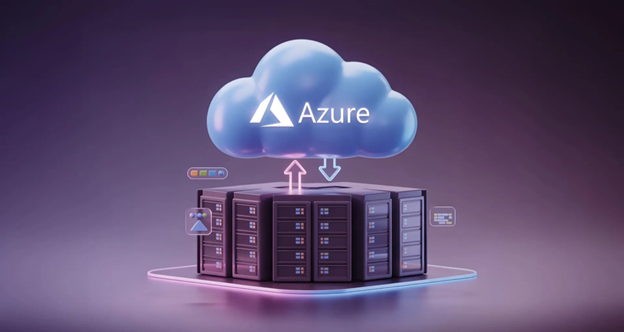
Migration services on Azure involve the tools and processes needed to survey, plan, transfer and improve workloads on Azure.
An end to end migration project on Azure will have the following.:
-
1. Looking into current infrastructure and applications
-
2. Mapping dependencies
-
3. Assessing readiness for Azure
-
4. Cost and Total Cost of Ownership (TCO) Evaluations
-
5. Picking a migration strategy
-
6. Building out Azure landing-zones
-
7. Setting up Identity and Access Management
-
8. Building out Azure Networking and Security
-
9. Fixing applications
-
10. Moving data and databases
-
11. Moving servers
-
12. Testing the performance
-
13. Cutting over to the new production environment
-
14. Training employees
-
15. Optimizing cost
-
16. Retiring old infrastructure
Azure Migrate can evaluate workloads, identify suitable Azure locations, and provide cost estimates for Azure based on geography, licenses and target configuration.
Common Azure Migration Strategies
The migration strategy selected for each workload directly affects project cost, complexity and long-term savings.
|
Strategy |
Description |
Initial Cost |
Long-Term Potential |
|
Rehost |
Move workloads with minimal changes |
Low to medium |
Medium |
|
Replatform |
Make selected platform improvements |
Medium |
Medium to high |
|
Refactor |
Redesign for cloud-native services |
High |
High |
|
Replace |
Move to a SaaS alternative |
Medium |
Depends on subscription |
|
Retire |
Remove unused workloads |
Low |
Very high savings |
|
Retain |
Keep workloads outside Azure |
Low initially |
Existing costs continue |
Rehosting is generally faster and less expensive initially. However, it may transfer existing inefficiencies into Azure.
Refactoring requires more development and testing but can reduce infrastructure management, improve scalability and support faster application releases.
A mixed strategy is often more practical than applying the same migration method to every workload.
Azure Migration Services Cost Breakdown
Azure migration expenses can be divided into four main categories.
|
Cost Category |
Examples |
Cost Behaviour |
|
One-time migration |
Assessment, design, remediation and cutover |
Project-based |
|
Temporary transition |
Replication, testing and dual environments |
Time-based |
|
Recurring Azure cost |
Compute, storage, databases and networking |
Consumption-based |
|
Ongoing management |
Monitoring, security, support and FinOps |
Monthly or annual |
1. Discovery and Assessment
Discovery classifies workloads by migration, modernisation, retention or retirement criteria. Assessment may require:
-
1. Inventory of servers and applications
-
2. Measurement of CPU, memory and storage utilisation
-
3. Application dependency mapping
-
4. Licensing assessment
-
5. Security gap assessment
-
6. Compliance assessment
-
7. Interviews with application owners
-
8. Planning of migration waves
-
9. Pricing of Azure services
-
10. Assessment of total costs of ownership and return on investment
Oversizing virtual machines, dependency issues, prolonged downtime, and cost estimation discrepancies are some of the consequences of skipping the assessment stage.
Discovery and assessment can be performed using Azure Migrate, and no additional tool costs will be incurred. However, professional services and partner tools will incur costs.
2. Azure Landing Zone
An Azure Landing Zone is a controlled and configurable foundation for applications and data migrated to Azure.
Azure Landing Zone implementations may consist of:
-
1. Azure subscriptions and management groups
-
2. Identity and role-based access control
-
3. Built-out networks with VPN or private connectivity
-
4. Logging and monitoring
-
5. Security and backup policies
-
6. Resource tagging
-
7. Cost-centre tagging
-
8. Regulatory compliance
-
9. Infrastructure as Code
Most of the cost of a landing zone will be a shared investment. It is a common platform investment. Therefore, the investment should be spread across the workloads, rather than being allocated to the first workload to migrate.
3. Application Remediation
Application Remediation is usually the greatest Azure migration cost element that is difficult to predict.
When an application contains the following, some changes may be necessary:
-
1. Unsupported operating systems
-
2. Legacy authentication
-
3. Hard-coded IP addresses
-
4. Local file paths
-
5. Old database drivers
-
6. Unsupported middleware
-
7. Physical hardware dependencies
-
8. High-latency integrations
-
9. Outdated encryption
-
10. Manual deployment processes
For a straightforward virtual machine rehost, only a few modifications may be needed. However, large amounts of development and testing may be required for relocation of a legacy application to Azure App Service, containers, or a managed database.
4. Data Migration
Costs for data migration will depend on:
-
1. Total data volume
-
2. Available bandwidth
-
3. Methods for transfer
-
4. Speed of migration
-
5. Willingness to accept downtime
-
6. Database complexity
-
7. Number of test migrations
-
8. Data validation requirements
Some costs may be incurred for:
-
1. Staging storage
-
2. Replication storage
-
3. Storage transactions
-
4. Database logs
-
5. Network upgrades
-
6. Encryption
-
7. Offline transfer devices
-
8. Data validation
-
9. Continuous synchronization
Data migration costs cannot only be estimated on transfer fees. Other costs for development, testing, security and data validation must be considered.
5. Migration Execution and Cutover
Execution costs cover replication, migration waves, final synchronization, production cutover and rollback preparation.
Costs will depend on:
-
1. Number of workloads
-
2. Number of migration waves
-
3. Allowed downtime
-
4. Weekend or overnight work
-
5. Business-user availability
-
6. Application dependencies
-
7. Rollback complexity
-
8. Regulatory approval
-
9. Geographic coverage
For a nearly zero-downtime migration, greater costs should be expected due to the need for replication, additional testing, automation and a temporary, parallel infrastructure.
6. Testing and Validation
Testing should be viewed as a separate workstream.
Testing may include:
-
1. Functional Testing
-
2. Integration Testing
-
3. Performance Testing
-
4. Security Validation
-
5. Backup Restoration
-
6. Disaster-Recovery Testing
-
7. User Acceptance Testing
-
8. Monitoring Validation
-
9. Cost Validation
Operational failures may result from insufficient testing even if migration has been technically successful.
7. Training and Handover
The operational environment of an application changes after migration even if the application interface does not change.
Teams may require training in the following areas:
-
1. Azure Administration
-
2. Identity Management
-
3. Cloud Security
-
4. Cost Management
-
5. Monitoring
-
6. Backup and Recovery
-
7. Infrastructure as Code
-
8. Incident Management
-
9. FinOps
Training costs and planning should take into consideration technical teams, application owners, the security team, service desk staff, and the finance team.
Official Azure Migration and Support Costs
Microsoft migration tools can reduce migration software expenses, but the Azure resources used during migration may still be billable.
|
Azure Item |
Pricing Position |
|
Azure Migrate discovery and assessment |
No direct tool usage charge |
|
Server migration |
No tool usage charges for the first 180 days after replication begins |
|
Replication storage |
Charged according to usage |
|
Network resources |
Charged according to architecture and usage |
|
Test migration compute |
Charged when consumed |
|
Target Azure resources |
Charged after provisioning or consumption |
|
Azure Site Recovery |
First 31 days free for each protected instance |
Microsoft confirms that Azure Site Recovery is billed according to the number of protected instances, with each new protected instance free for the first 31 days.
Azure Support Plan Costs
Production workloads should also include Microsoft or partner support in the financial model.
|
Support Plan |
Published Monthly Price |
|
Basic |
Included |
|
Developer |
USD 29 |
|
Standard |
USD 100 |
|
Professional Direct |
USD 1,000 |
|
Enterprise support |
Custom pricing |
These are published prices and can vary according to geography, agreement type, taxes and purchasing model.
Recurring Azure Operating Costs
Annual Azure run rates are more costly than the initial migration fee.
Compute
Costs include:
-
1. Azure Virtual Machines
-
2. Azure App Service
-
3. Azure Functions
-
4. Azure Container instances
-
5. Azure Virtual Desktop
-
6. Dedicated hosts
Compute costs include Virtual Machine (VM) type and size, operating system, region, time on demand, the use of auto-scaling, commitment discounts and licensing.
Storage
Costs include:
-
1. Managed disks
-
2. Blob Storage
-
3. Azure Files
-
4. Snapshots
-
5. Backup storage
-
6. Archive storage
-
7. Transactions
-
8. Geo-replication
Estimating storage costs by capacity alone is insufficient. Pricing is also dependent on performance tier, redundancy, transactions and retention.
Databases
Costs include:
-
1. Azure SQL Database
-
2. Azure SQL Managed Instance
-
3. SQL Server Azure Virtual Machines
-
4. Azure Database for PostgreSQL
-
5. Azure Database for MySQL
-
6. Cosmos DB
-
7. Backups and Replication
A Managed Database may have a higher service charge, while reducing cost in other areas like Patching, backups, and infrastructure as well as Administration.
Networking
Costs include:
-
1. VPN Gateway
-
2. Express Route
-
3. Load balancers
-
4. Application Gateway
-
5. Azure Firewall
-
6. NAT Gateway
-
7. Public IP Address
-
8. Cross region traffic
Costs may be impacted due to network design and private connectivity.
Backup, Security and Monitoring
Costs of these services include:
-
1. Azure Backup
-
2. Azure Site Recovery
-
3. Microsoft Defender for Cloud
-
4. Microsoft Sentinel
-
5. Azure Monitor
-
6. Log Analytics
-
7. Key Vault
-
8. Long-term Log Retention
Costs of Logging services are frequently underestimated. Costs are dependent on the volume of logs ingested, retention and resources monitored.
FinOps and Managed Services
Some examples of ongoing operational costs may be:
-
1. 24x7 monitoring
-
2. Incident response
-
3. Patch management
-
4. Backup management
-
5. Security operations
-
6. Cost reporting
-
7. Rightsizing
-
8. Commitment management
-
9. Governance reviews
-
10. Application support
These costs need to be looked at against the costs of infrastructure support and labor costs that are currently on the premises.
1. Hidden Azure Migration Costs
Many migration overruns happen because of missing cost categories, not because of ill-conceived Azure pricing.
2. Dual-Running Infrastructure
During replication, testing, and cutover, the old and new environments may be running at the same time. Ensure both environments are included for the entire transition time.
3. Delayed Decommissioning
Savings from moving to the cloud won't begin until the hardware, software and networking contracts, colocation services, and maintenance contracts are completely terminated.
4. Shared Platform Services
Some services, like identity, monitoring, connectivity, firewalls, and security services, may be shared among several applications. Their costs should be shared among those applications.
5. Compliance Requirements
Workloads that are regulated may command Private Connectivity, Dedicated Encryption Keys, Logging that is Extended, External Audits, and additional Security Validation.
6. Internal Employee Time
Employing people for migration related meetings, testing, documentation, and training is time consuming and does not create an external invoice.
7. Taxes and Currency Changes
Estimating costs in Azure may be in one currency, while invoices may be impacted by local taxes, billing rules, exchange rates, and contracts.
8. Azure Migration ROI Calculator
An Azure migration ROI calculator compares the complete cost of the current environment with the migration investment and expected Azure operating cost.
Required Inputs
|
Variable |
Input |
|
Current annual on-premises TCO |
$_____ |
|
Avoided hardware refresh |
$_____ |
|
One-time migration cost |
$_____ |
|
Annual Azure run cost |
$_____ |
|
Additional annual business benefit |
$_____ |
|
Approved funding or credits |
$_____ |
|
Evaluation period |
_____ years |
Current on-premises TCO should include:
-
1. Hardware
-
2. Software licences
-
3. Virtualisation
-
4. Data-centre facilities
-
5. Power and cooling
-
6. Network circuits
-
7. Backup and disaster recovery
-
8. Security tools
-
9. Maintenance
-
10. Internal labour
-
11. External support
-
12. Downtime-related costs
ROI Formulas
1. Net Migration Investment
Net Migration Investment = One-Time Migration Cost − Approved Funding
2. Baseline TCO
Baseline TCO = Annual On-Premises TCO × Evaluation Period
3. Azure TCO
Azure TCO = Net Migration Investment + Annual Azure Run Cost × Evaluation Period
4. TCO Savings
TCO Savings = Baseline TCO − Azure TCO
5. ROI Percentage
ROI% = Net Financial Benefit ÷ Net Migration Investment × 100
6. Payback Period
Payback in Months = Net Migration Investment ÷ Monthly Recurring Savings
Do not double count the same benefit. As an illustration, you should not add avoided hardware refresh if the same expenditure will be accounted in the annual on-premises TCO.
Worked Azure ROI Example
Consider a mid-sized organisation with the following costs.
Current Environment
|
Cost |
Annual Amount |
|
Hardware and infrastructure |
$160,000 |
|
Software and virtualisation |
$120,000 |
|
Facilities and connectivity |
$90,000 |
|
Infrastructure labour |
$180,000 |
|
Backup, DR and security |
$50,000 |
|
Total Annual TCO |
$600,000 |
One-Time Migration Investment
|
Activity |
Cost |
|
Discovery and assessment |
$20,000 |
|
Landing zone and security |
$30,000 |
|
Application remediation |
$55,000 |
|
Migration execution |
$35,000 |
|
Testing and cutover |
$25,000 |
|
Training and handover |
$5,000 |
|
Contingency |
$10,000 |
|
Total Migration Cost |
$180,000 |
Estimated Annual Azure Cost
|
Azure Cost |
Annual Amount |
|
Compute |
$180,000 |
|
Storage and backup |
$55,000 |
|
Databases and PaaS |
$70,000 |
|
Networking |
$25,000 |
|
Monitoring and security |
$25,000 |
|
Support and operations |
$35,000 |
|
Total Annual Azure Cost |
$390,000 |
1. Annual recurring saving:
$600,000 − $390,000 = $210,000
2. Three-year recurring saving:
$210,000 × 3 = $630,000
3. Three-year net benefit:
$630,000 − $180,000 = $450,000
4. ROI:
$450,000 ÷ $180,000 × 100 = 250%
5. Payback period:
$180,000 ÷ ($210,000 ÷ 12) = 10.3 months
6. Three-year baseline TCO:
$600,000 × 3 = $1,800,000
7. Three-year Azure TCO:
$180,000 + ($390,000 × 3) = $1,350,000
8. Estimated three-year TCO saving:
$1,800,000 − $1,350,000 = $450,000 or 25%
This is an illustrative example, not a Microsoft quotation. Actual outcomes depend on workload usage, architecture, partner rates, licensing and commercial agreements.
How to Reduce Azure Migration Costs
1. Utilize Performance-Based Rightsizing
Take into account the actual CPU, memory, and storage utilization metrics for workloads, rather than directly lifting and shifting existing server specifications into Azure.
As part of the Azure Migrate assessments, suitable target recommendations and hosting cost estimations may be provided based on the workload data that has been discovered.
2. Eliminate Unused Workloads
Remove the following:
-
1. Powered off servers
-
2. Redundant applications
-
3. Outdated databases
-
4. Not used test environments
-
5. Unwanted storage
-
6. Obsolete development systems
A workload that has been eliminated is less costly than one that has to be migrated and then optimized.
3. Leverage Azure Hybrid Benefit
Eligible customers can use qualifying licenses for Windows Server or SQL Server to lower their costs for Azure.
The potential savings and eligibility will be determined by the licenses, Software Assurance, subscription terms, and the Azure service used. Microsoft provides migration incentives for eligible cases, and organizations may consider these savings for the ROI model, but should verify their licensing position.
4. Postpone Long-Term Decisions Until Usage is More Predictable
With an uncertain workload, the benefit of the pay-as-you-go model will likely exceed the value of the savings plans or reservations. After usage stabilizes, the value of the savings plans may be evaluated.
5. Develop FinOps Before Cutover
Adopt:
-
1. Mandatory resource tags
-
2. Budget notifications
-
3. Cost-center designation
-
4. Owner identification
-
5. Non-production schedules
-
6. Idle-resource reporting
-
7. Routine Rightsizing
-
8. Commitment reviews
Optimizing costs through Azure Advisor can be achieved by analyzing idle and underused resources and providing recommendations.
Common Azure Migration Costing Mistakes
Steer clear of the following:
1. Pricing Azure as though all existing servers need to be fully utilized.
2. Overlooking identity, firewall, and connectivity services.
3. Expecting to receive the maximum advertised discounts for all workloads.
4. Omitting infrastructure that is dual-running.
5. Considering labour costs as savings that are available from an immediate reduction in payroll.
6. Postponing the decommissioning of source-systems.
7. Omitting backup, monitoring, and security.
8. Utilizing only a single ROI scenario.
9. Overlooking taxes and the movement of currencies.
10. Committing to purchases for the long-term before usage has had a chance to stabilize.
Present expected, conservative, and optimized scenarios rather than one forecast in order to provide project approval.
Frequently Asked Questions
1. What is the cost for migrating to Azure?
Costs are determined per case. Consider the amount of workloads, volume of data, chosen strategy for migration, the need for remediation, security provisions, testing, and professional services. While Azure Migrate does not charge during initial migrations for the direct use of the tool, costs for necessary resources (compute, storage and networking) will incur.
2. Is there a cost to use Azure Migrate?
There is no direct cost charged to use Azure Migrate for the discovery and assessment phases. For the server migration phase, there is no cost for the use of the tool for the first 180 days post-replication. Costs for storage, networking, and test migration compute resources will still be charged.
3. How do you determine the ROI for Azure migration?
The ROI for Azure migration can be determined by calculating the difference in costs of the current on-prem TCO compared to the expected costs for Azure, and calculating the savings for the duration of the assessment period, and then subtracting the migration costs.
4. What is the duration of the ROI for Azure migration?
The duration of the ROI for Azure migration can be modeled over 3 years for the short-term forecasts, but a 5 year model may reflect a more realistic forecast for the replacement of hardware, though there is a high degree of variability. Most companies will use both.
5. What is the biggest cost for Azure migration?
The biggest cost for Azure migration is the cost of running infrastructure in a dual system and the cost of not ceasing operations from the previous system. Other costs are backup resources, logging, security services, the cost of network traffic, and the cost of employee time which are all frequently underestimated.
Conclusion
Affordable migration estimates for Azure resources cannot be done accurately using virtual-machine costs as the basis.
An accurate cost estimate must include:
-
1. Discovery and assessment
-
2. Landing-zone implementation
-
3. Application remediation
-
4. Data migration
-
5. Testing and cutover
-
6. Employee training
-
7. Temporary (provisioned) infrastructure
-
8. Azure compute and storage
-
9. Networking
-
10. Backup and disaster recovery
-
11. Security and monitoring
-
12. Support and managed services
-
13. Source-system decommissioning
Estimate the costs using the most realistic plans and the data concerning the workloads. The most realistic (with the least resources) estimates and cost plans can be made using Azure Migrate in conjunction with the Azure Pricing Calculator. These estimates must be validated by a pilot, a licensing assessment, and a comprehensive migration plan. The Azure Pricing Calculator enables organizations to set the services and adjust Azure costs based on their architecture.
A comprehensive migration plan should avoid incurring unknown costs in the cloud and should promote better control of costs and improved operational efficiency, in addition to a reduction in infrastructure costs during the migration process.
Build a complete Azure migration business case before committing to a target architecture.
Request a performance-based Azure migration assessment covering workload readiness, application dependencies, implementation costs, expected Azure consumption, licensing opportunities, three-year TCO, ROI and payback period.

Anshul Goyal
Group BDM at B M Infotrade | 11+ years Experience | Business Consultancy | Providing solutions in Cyber Security, Data Analytics, Cloud Computing, Digitization, Data and AI | IT Sales Leader