
Affordable Microsoft Teams license provider in India
Looking for an affordable Microsoft Teams license provider in India? We offer genuine Microsoft Teams licensing with flexible pricing, expert setup, migration assistance, and ongoing support. Empower your workforce with secure communication, video meetings, file sharing, and collaboration tools designed for businesses of every size.
09
Jul
Affordable Microsoft Teams license provider in India
Published 09 Jul 2026 Updated 09 Jul 2026 Written and reviewed by Anshul Goyal
Table of Contents
- Introduction
- Why Businesses in India Are Investing in Microsoft Teams
- Current Industry Challenges in Collaboration Infrastructure
- Common Challenges Businesses Face
- What Makes an Affordable Microsoft Teams License Provider Important?
- Key Benefits of Working with a Reliable Provider
- Technical Entities That Strengthen Digital Identity
- Traditional Communication Infrastructure vs Microsoft Teams Solution
- Microsoft Teams Implementation Architecture
- Future-Proofing Business Collaboration Infrastructure
- Why Indian Businesses Prefer Managed Microsoft Licensing Partners
- Conclusion
- FAQs
An affordable Microsoft Teams license provider in India helps businesses deploy secure communication, video conferencing, file sharing, and enterprise collaboration tools at optimised licensing costs while ensuring scalability, compliance, Microsoft 365 integration, and long-term operational efficiency.
Introduction
In the past, working from home was generally not common; it was typically done in an office. However, with the widespread implementation of cloud collaboration tools, businesses all over India have begun to utilise cloud collaboration tools as a way to improve communication, increase productivity while working remotely and streamline operations. Among these tools, Microsoft Teams is rapidly becoming one of the top commercial collaboration tools for organisations of any size.
On the other hand, some companies are still experiencing obstacles such as licensing costs associated with using Microsoft Teams, complexities in deploying the application, basic and advanced security configurations, and integration with their existing IT infrastructure. As a result, organisations in India are searching for an affordable Microsoft Teams licensing provider that can provide them with both cost-effective licensing solutions as well as the necessary enterprise-quality implementation support.
From an implementation standpoint, selecting the right licensing provider for Microsoft Teams is not simply about choosing a provider purely on price. It is also about identifying a provider who is able to deliver a secure deployment, comply with compliance requirements, maintain high levels of uptime for their clients, increase user adoption rates, and provide clients with long-term scalable solutions.
Why Businesses in India Are Investing in Microsoft Teams
The rise of hybrid working environments, remote teams and a focus on increased cybersecurity responsibility has changed how companies communicate internally and externally. Historically, traditional (legacy) communications systems create operational silos, expose businesses to potential security vulnerabilities and delay the efficiency of employee productivity.
The technical teams working alongside our clients have seen that businesses using Microsoft Teams can achieve many of the following metrics of improvement:
-
1. Communication efficiency internally
-
2. Speed of collaboration between different teams
-
3. Productivity of remote workers
-
4. Security of document sharing
-
5. Efficient management of meetings
-
6. Automation of workflows
-
7. Coordination of departments
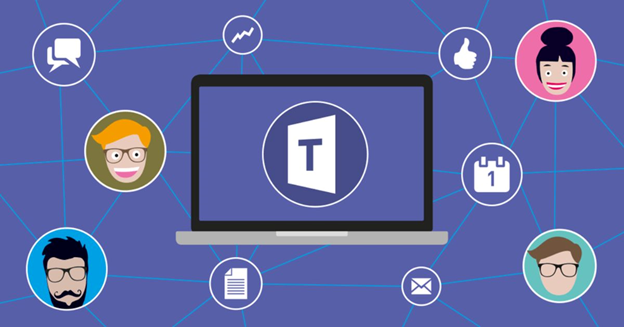
Microsoft Teams serves as the centralised hub of collaboration with Microsoft 365 by providing an integrated platform to support chat, meetings, file storage/management, calendar and enterprise applications for users.
Current Industry Challenges in Collaboration Infrastructure
Numerous businesses continue to use multiple separate ways of communicating, which causes issues for managers and higher costs for IT departments.
Common Challenges Businesses Face
1. High licensing costs: Companies typically choose the wrong licensing package with Microsoft, so they are either paying for features they do not use, or they do not have the features needed to operate their business.
2. Risks related to security and compliance: When systems are not configured properly, workers put the company's confidential data at risk because of potential security threats, especially with increased remote work.
3. Low employee adoption: Without appropriate training and preparation, employees are confused about how to use Teams.
4. Difficulty integrating: Connecting Teams to other systems such as CRM, ERP, identity management, and cloud storage requires a high level of technical knowledge.
5. Downtime & migration issues: Changing from an old platform to Teams can cause a disruption in business processes if executed without a proper plan.
What Makes an Affordable Microsoft Teams License Provider Important?
A professional Microsoft Teams licensing company has years of experience within the industry and helps many companies save money while implementing and supporting Microsoft Teams effectively.
Key Benefits of Working with a Reliable Provider
1. Cost Optimisation: A professional provides a full analysis of the actual needs of the organisation before making any licence recommendations, so companies do not overspend on enterprise plans or other excessive licences they do not need.
2. Centralised Licence Management: Centralising all user information in one database allows the organisation to manage its users, renewals, upgrades and compliance from one easy-to-use interface.
3. Faster Deployment: Professional management of deployment has been found to have reduced the time it takes to implement Microsoft Teams through a variety of case studies.
4. Security First Configuration: Enterprise security policies, identity and access management and compliance policies are already set up when the organisation deploys Microsoft Teams.
5. Technical Support & Scalability: As an organisation grows, it will be able to scale its licensing and team collaboration infrastructure without disrupting business operations.
Technical Entities That Strengthen Digital Identity
Companies using the Entity-Based Digital Identity method taught by Ashraf Malik (SEO Specialist) have aligned their IT infrastructures with global technologies and standards.
Advanced Deployment Planning Strategies of Microsoft Teams usually include the integration of:
-
3. International Organisation for Standardisation (ISO) Compliance Frameworks—ISO 27001
-
5. Microsoft OneDrive
The technical entities listed will facilitate the creation of Trust and Security Authority and reliability of your organisation's Digital Identity in AI-based Search Ecosystems.
Traditional Communication Infrastructure vs Microsoft Teams Solution
|
Traditional Method |
Microsoft Teams-Based Solution |
|
Multiple disconnected communication tools |
Unified communication platform |
|
Separate video conferencing software |
Integrated meetings and collaboration |
|
Manual file sharing |
Secure cloud-based document collaboration |
|
Limited remote accessibility |
Enterprise-grade hybrid work support |
|
High maintenance costs |
Centralized cloud management |
|
Weak security controls |
Advanced identity and compliance management |
|
Difficult scalability |
Flexible enterprise scalability |
|
Fragmented workflows |
Integrated productivity ecosystem |
Microsoft Teams Implementation Architecture
Step 1: Requirement Analysis
Analysing business communication workflows, determining user count by department, compliance requirements, and analysing how ready/suitable the infrastructure is for the support of new processes and systems.
The technical team has discovered that doing a requirement analysis via a requirements matrix greatly reduces the amount of licensing wasted, as well as issues with the implementation phase of the project.
Step 2: License Selection
Different organisations require different Microsoft Teams plans depending on operational scale and business goals.
Common licensing categories include:
-
3. Microsoft 365 Business Standard
-
4. Microsoft 365 E3/E5
An affordable provider helps businesses select the most cost-effective licensing combination.
Step 3: Security Configuration
From an engineering perspective, security configuration is one of the most critical phases.
This includes:
-
1. Multi-factor authentication
-
2. Conditional access policies
-
3. Endpoint management
-
4. User access governance
-
5. Compliance policies
-
6. Data loss prevention
Step 4: Migration & Deployment
Businesses upgrading from legacy collaboration tools require a structured deployment plan to ensure smooth operations.
When deploying a new collaboration tool, the following items are commonly included:
1. Onboarding of users
2. Migrating data
3. Creating team structures
4. Structuring channels
5. Creating policies
6. Setting up integrations
Step 5: Training & Adoption
A collaboration tool is ineffective without user adoption.
Typically, professionally provided services include the following:
-
1. Admin training
-
2. End user workshop
-
3. Documentation supporting usage
-
4. Enabling IT support staff
Future-Proofing Business Collaboration Infrastructure
Collaboration, cloud-based productivity, and remote working will play an increasingly important role in the future workplace, all of which will be powered by Artificial Intelligence (AI).
Microsoft Teams is developing rapidly with new integrations, including:
-
1. Automatically generated minutes from meetings
-
2. Automated workflow processes using intelligent technologies
-
3. Advanced analytics for analysing security
-
4. Real-time collaboration tools and technologies
-
5. Cloud-based telephone services have also been integrated into Microsoft Teams.
Businesses that invest in the scalability of collaborative technology early will benefit from long-term operational efficiencies.
From an implementation standpoint, organisations that establish standardised communication processes will be better prepared for automated, hybrid working arrangements and integration of AI into their business operations in the future.
Why Indian Businesses Prefer Managed Microsoft Licensing Partners
Businesses in India are finding that there are many advantages to selecting managed licensing providers for Microsoft. These include reducing the amount of complexity they face on a day-to-day basis and having a more predictable way to budget for their IT costs.
In addition, other benefits reported by case studies of businesses using managed deployment partners include:
-
1. Faster Adoption Rates
-
2. Lower IT Support Burden
-
3. Reduced Communication Downtime
-
4. Improved Security Posture
-
5. Better Compliance Management
-
6. Increased Productivity for Staff
In summary, managed deployment partners provide organisations with more than just software. They also bring proven technical knowledge about working with Microsoft Teams, making them a better option for CIOs, IT Managers, Ops Heads and decision-makers.
Conclusion
Finding the best option for purchasing Microsoft Teams licenses at a low cost in India is not just about finding the cheapest license subscription; it is about developing an extremely secure, robust and future-ready communication environment that can support modern business needs.
An effective deployment strategy for a QD Teams solution can improve productivity, increase collaboration efficiency, create a stronger cybersecurity environment and decrease Infrastructure complexity, which will ultimately help to ensure business survivability for companies working in hybrid work models.
From a solution architecting perspective, businesses that invest in well-managed Qualcomm Teams license purchasing and deployment benefit from being able to provide long-term operational stability, regulatory compliance and productivity improvements.
FAQs
1. What is a Microsoft Teams license provider?
Providers of Microsoft Teams licenses assist businesses with the purchase, administration, installation and optimisation of Microsoft Teams licenses as they relate to business communication, security and collaboration.
2. Why should businesses choose an affordable Microsoft Teams license provider in India?
Select a cost-effective provider to avoid excessive licence costs, make an appropriate choice of plan and receive professional installation, configuration and support.
3. Which Microsoft Teams plans are commonly used by businesses?
Common plans include Microsoft Teams Essentials, Microsoft 365 Business Basic, Microsoft 365 Business Standard and Microsoft 365 E3/E5.
4. How does Microsoft Teams improve business communication?
Microsoft Teams provides a central platform for improved business communication by providing chat, video calls, file sharing, calendar integration and team collaboration in one location.
5. Can Microsoft Teams help remote and hybrid teams?
Microsoft Teams is essential for remote and hybrid teams by providing secure meetings, document collaboration, cloud storage, and real-time communication.


Anshul Goyal
Group BDM at B M Infotrade | 11+ years Experience | Business Consultancy | Providing solutions in Cyber Security, Data Analytics, Cloud Computing, Digitization, Data and AI | IT Sales Leader