
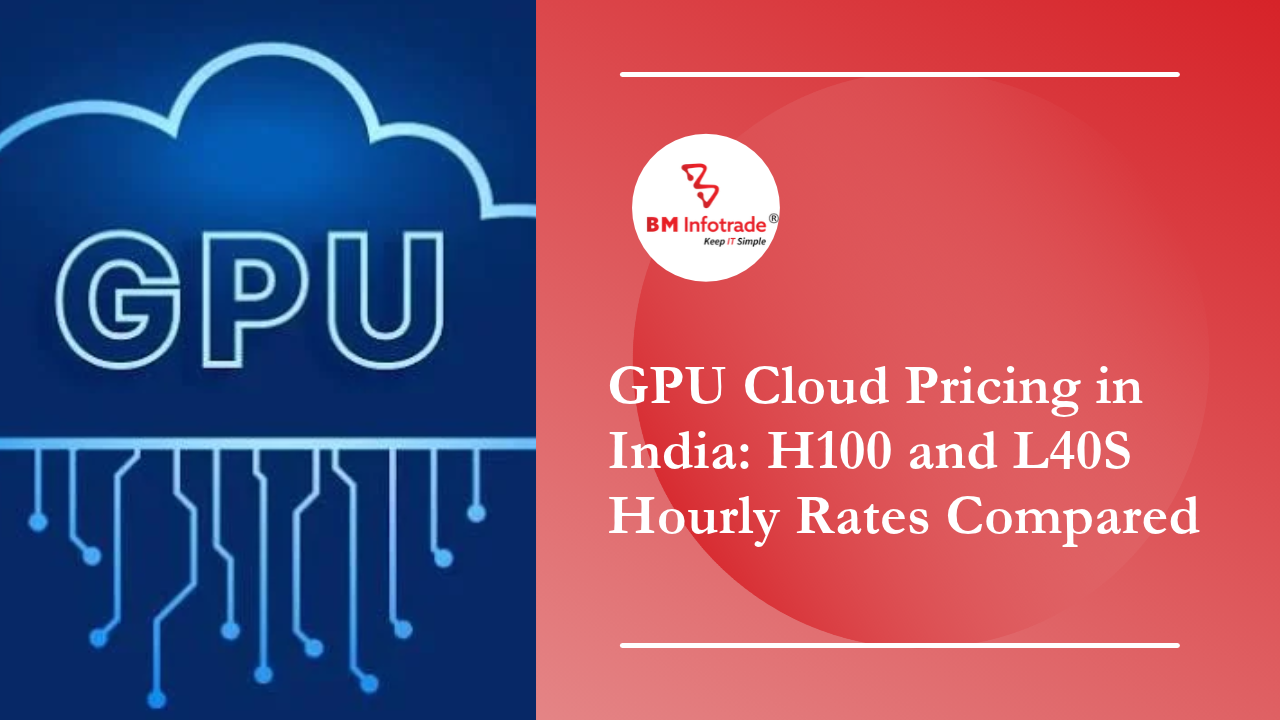
GPU Cloud Pricing in India: H100 and L40S Hourly Rates Compared
Compare NVIDIA H100 and L40S GPU cloud pricing in India, including costs, performance, specifications, and use cases to help businesses choose the most cost-effective GPU for AI workloads.
23
Nov
GPU Cloud Pricing in India: H100 and L40S Hourly Rates Compared
Published 23 Nov 2026 Updated 23 Nov 2026 Written and reviewed by Anshul Goyal
GPU cloud pricing in India varies significantly depending on the GPU model, provider, commitment period, region, and whether the instance is on-demand or reserved.
For businesses comparing NVIDIA H100 and L40S GPUs, the difference can be substantial. Current commercial listings can put a single L40S at roughly ₹124 per hour on demand, while an H100 SXM instance may cost around ₹329 per hour from the same Indian provider. Longer commitments can reduce these rates significantly.
The important question is therefore not simply, “Which GPU is cheaper?”
It is:
Which GPU gives the lowest total cost for your specific AI workload?
Quick Answer
For most inference, image-generation, rendering, and smaller generative AI workloads, the NVIDIA L40S is considerably cheaper than the H100.
For large-model training, high-throughput LLM workloads, multi-GPU clusters, and memory-bandwidth-intensive applications, the H100 can justify its higher hourly rate through significantly higher compute and memory performance.
Table of Contents
- Which GPU gives the lowest total cost for your specific AI workload?
- Why Is the NVIDIA H100 More Expensive?
- When Should You Choose an L40S?
- On-Demand vs Reserved GPU Pricing
- What About IndiaAI GPU Pricing?
- Benefits of GPU Cloud Computing
- Limitations
- Common GPU Cloud Pricing Mistakes
- Best Practices for Reducing GPU Cloud Costs
- FAQs
- Conclusion
GPU cloud pricing is the amount a cloud provider charges for temporary access to GPU-powered computing infrastructure.
Instead of purchasing servers containing expensive GPUs, businesses can rent GPU capacity by the hour.
This model is commonly called:
- GPU as a Service
- GPUaaS
- Cloud GPU rental
- AI compute rental
- GPU instances
- Accelerated computing infrastructure
It is especially useful for AI startups, SaaS businesses, research teams, enterprises, animation studios, and machine-learning developer
H100 vs L40S GPU Cloud Pricing in India
Commercial prices depend on CPU allocation, system RAM, storage, GPU interconnect, region and contract term.
One current Indian provider lists the following single-GPU configurations:
| GPU | Memory | On-Demand | 1-Month Reserved | 6-Month Reserved | 12-Month Reserved |
| NVIDIA L40S | 48 GB | ₹124/hr | ₹74/hr | ~₹68/hr | ₹61/hr |
| NVIDIA H100 SXM | 80 GB | ₹329/hr | ₹296/hr | ₹263/hr | ₹219/hr |
Pricing checked from the provider's current public pricing page; cloud rates can change.
What does this mean?
At these on-demand rates, an H100 costs roughly 2.65 times as much per running hour as an L40S.
But hourly cost alone does not determine which GPU is more economical.
If a workload takes considerably fewer hours on an H100, the effective cost gap may shrink.
H100 vs L40S Specifications
The two GPUs target overlapping but different workloads.
|
Specification |
NVIDIA H100 SXM |
NVIDIA L40S |
|
Architecture |
Hopper |
Ada Lovelace |
|
GPU Memory |
80 GB HBM3 |
48 GB GDDR6 ECC |
|
Memory Bandwidth |
3.35 TB/s |
864 GB/s |
|
FP32 |
67 TFLOPS |
91.6 TFLOPS |
|
FP8 Tensor Performance* |
3,958 TFLOPS |
1,466 TFLOPS |
|
NVLink |
Up to 900 GB/s |
No |
|
MIG Support |
Yes |
No |
|
Maximum Power |
Up to 700W |
350W |
Figures can include sparsity depending on NVIDIA's specification methodology.
One-sentence summary
The H100 is optimised for large-scale accelerated AI computing, while the L40S combines AI acceleration with strong graphics, rendering and media capabilities at a much lower infrastructure cost.
Why Is the NVIDIA H100 More Expensive?
The H100 costs more because it is designed for extremely demanding AI training, inference and HPC workloads.
NVIDIA's H100 SXM offers 80 GB of HBM3 memory with approximately 3.35 TB/s memory bandwidth. It also supports NVLink bandwidth of up to 900 GB/s, making multi-GPU scaling far more practical for large training workloads.
Major H100 advantages include
- 80 GB HBM3 memory
- High memory bandwidth
- Hopper architecture
- Transformer Engine
- FP8 acceleration
- NVLink support
- Multi-Instance GPU support
- Strong multi-GPU scaling
- Large-language-model training capability
- HPC suitability
The H100 therefore makes more sense when time-to-train and model throughput matter more than the cheapest GPU-hour.
Why Is the L40S Cheaper?
The L40S targets a broader mix of inference, graphics, video and visualisation workloads without the expensive HBM and multi-GPU architecture of the H100.
NVIDIA equips the L40S with 48 GB of GDDR6 ECC memory, 864 GB/s of memory bandwidth and dedicated hardware for AI, ray tracing and media processing.
It is particularly strong for:
- LLM inference
- Smaller model fine-tuning
- Stable Diffusion
- Image generation
- AI video applications
- 3D rendering
- Omniverse
- Virtual production
- Computer vision
- AI-enhanced graphics
The L40S also includes hardware encoding and decoding capabilities, including AV1 support, which makes it useful for workloads beyond pure model training.
When Should You Choose an H100?
Choose an H100 when GPU performance directly determines your project's completion time or serving throughput.
Typical workloads include:
Large Language Model Training
Training large transformer models requires enormous memory bandwidth and fast GPU-to-GPU communication.
H100's HBM3 and NVLink architecture make it better suited to these workloads.
Large-Scale Fine-Tuning
Full fine-tuning or distributed tuning of large models can benefit from H100's larger memory and higher transformer performance.
High-Volume LLM Inference
An expensive GPU can sometimes deliver a lower cost per token if it processes enough requests simultaneously.
This is why GPU selection should consider
Cost per completed workload = GPU hourly rate × workload duration
—not hourly price alone.
HPC and Scientific Computing
Applications involving genomics, numerical simulations, scientific research and high-performance data processing may also benefit from Hopper-specific features.
When Should You Choose an L40S?
Choose the L40S when your workload fits comfortably within 48 GB VRAM and does not require H100-class interconnect or memory bandwidth.
Good L40S use cases include:
- Llama-class model inference
- RAG applications
- AI chatbots
- Stable Diffusion
- SDXL
- Image generation APIs
- Computer vision
- AI video
- Rendering
- Digital twins
- 3D workloads
- Moderate fine-tuning
For many production inference workloads, using H100 infrastructure simply because it is faster can lead to poor GPU utilisation and unnecessary cloud spending.
On-Demand vs Reserved GPU Pricing
Choosing the right billing model can produce savings almost as significant as choosing the correct GPU.
On-Demand GPU Instances
You pay for compute when required without a long-term commitment.
Best for:
- Testing
- Development
- Experiments
- Temporary projects
- Unpredictable traffic
- Short training jobs
Reserved GPU Instances
You commit to GPU capacity for a defined period.
Best for:
- Production inference
- Stable AI workloads
- SaaS applications
- Regular training pipelines
- Consistent enterprise usage
Longer commitments can significantly reduce the effective hourly price. Current commercial listings show especially large discounts for L40S reserved capacity.
Spot or Preemptible GPUs
Spot GPUs use unused provider capacity at lower prices but may be interrupted.
They work well for:
- Batch processing
- Fault-tolerant training
- Rendering queues
- Experiments
- Checkpointed ML jobs
Avoid relying exclusively on spot instances for workloads that cannot tolerate interruption.
What About IndiaAI GPU Pricing?
Government-backed compute programs can offer pricing that differs substantially from normal commercial cloud rates.
Publicly reported IndiaAI price-discovery figures have included rates around ₹67.50/GPU-hour for L40S and ₹153/GPU-hour for H100 SXM in certain procurement structures. These should not be directly compared with normal public on-demand cloud listings because eligibility, subsidy, provider terms and commitment conditions may differ.
Key point
Always distinguish subsidised programme pricing from unrestricted commercial GPU cloud pricing.
Otherwise, a pricing comparison may look attractive while being unavailable to the actual buyer.
Hidden Costs in GPU Cloud Pricing
The cheapest hourly GPU is not necessarily the cheapest cloud.
Check these costs before choosing a provider:
- Data storage
- Persistent disks
- Snapshots
- Network egress
- Public IP charges
- CPU and RAM
- Managed Kubernetes
- Premium support
- GST
- Foreign exchange charges
- Minimum billing duration
- Idle-instance billing
A ₹100/hour GPU running inefficiently can cost more than a ₹200/hour GPU that completes the same task much faster.
Step-by-Step: How to Select the Right GPU
Step 1: Check VRAM Requirements
Determine how much GPU memory your model requires.
If your application needs more than 48 GB per GPU, L40S may require model quantisation, tensor parallelism or multiple GPUs.
Step 2: Identify Training vs Inference
Training large models generally benefits more from H100.
Inference often works economically on L40S.
Step 3: Benchmark Your Workload
Test:
- Tokens per second
- Requests per second
- Training steps per second
- Images generated per minute
- Latency
- GPU utilization
Step 4: Calculate Cost per Result
Do not compare only ₹/hour.
Compare:
- Cost per 1 million tokens
- Cost per training run
- Cost per image
- Cost per video
- Cost per API request
Step 5: Estimate Monthly Utilisation
A GPU running 50 hours per month and one running 730 hours per month require completely different pricing strategies.
Step 6: Compare Commitment Discounts
Predictable workloads may justify reserved capacity.
Benefits of GPU Cloud Computing
GPU cloud infrastructure offers several advantages over buying GPU servers.
- No large upfront hardware investment
- Faster infrastructure deployment
- Easy scaling
- Access to premium GPUs
- Lower maintenance requirements
- Flexible experimentation
- Ability to switch GPU generations
- Reduced risk of hardware obsolescence
For startups especially, cloud GPUs turn a capital expense into an operational expense.
Limitations
GPU cloud computing also has drawbacks.
- Hourly costs accumulate quickly.
- GPU availability can fluctuate
- Long-term continuous usage may become expensive
- Storage may continue billing after GPU shutdown.
- Migration between providers can be complicated.
- Network bandwidth can bottleneck distributed jobs
- Reserved contracts reduce flexibility
Businesses should compare cloud rental with hardware ownership once utilisation becomes consistently high.
Common GPU Cloud Pricing Mistakes
1. Choosing H100 for Every AI Workload
Most AI applications do not automatically need the fastest available GPU.
2. Comparing Only Hourly Pricing
A cheaper GPU may take substantially longer to finish a task.
3. Ignoring GPU Memory
A model that does not fit into memory cannot efficiently use the GPU regardless of its hourly cost.
4. Leaving Instances Running
Idle GPUs are one of the easiest ways to waste infrastructure budgets.
5. Ignoring Storage and Egress
Compute is only one component of total cloud cost.
6. Comparing Different H100 Variants as Identical
H100 PCIe, H100 SXM, and H100 NVL configurations are not equivalent.
Best Practices for Reducing GPU Cloud Costs
- Benchmark before committing to a GPU.
- Shut down unused instances automatically.
- Use quantised models where appropriate.
- Batch inference requests.
- Use mixed precision.
- Use reserved instances for predictable production workloads.
- Use spot capacity for fault-tolerant jobs.
- Track GPU utilisation continuously.
- Compare cost per output instead of cost per hour.
- Keep datasets close to the GPU region.
Real-World Example: AI Inference Startup
Assume an AI startup needs one GPU continuously for its inference platform.
L40S On-Demand
₹124 × 730 hours
= ₹90,520/month
H100 On-Demand
₹329 × 730 hours
= ₹2,40,170/month
Difference:
₹1,49,650/month
If the L40S meets the startup's latency and throughput requirements, choosing H100 would add substantial cost.
However, if the H100 handles several times more user requests, the relevant metric becomes cost per request, not the monthly GPU bill.
Case Study: Training vs Serving
Consider a team building a generative AI application.
During model development, it performs occasional large training and fine-tuning jobs.
For these tasks, the company can temporarily provision H100 GPUs.
After deployment, the production model runs efficiently within 48 GB VRAM.
The company can then move production inference to L40S instances.
This hybrid strategy provides:
- High training performance when required
- Lower production GPU expenses
- Flexible infrastructure
- Better GPU utilisation
For many AI businesses, the best answer is therefore not H100 or L40S.
It is H100 and L40S for different stages of the workload.
FAQs
1. Which is cheaper, H100 or L40S?
The L40S is generally much cheaper per hour. However, total cost depends on how quickly each GPU completes the workload.
2. Which GPU is better for LLM training?
For large LLM training workloads, H100 is generally better suited because of its HBM3 memory, higher memory bandwidth and NVLink capabilities.
3. Which GPU is better for AI inference?
L40S can offer better economics for many inference workloads. H100 becomes attractive when very high throughput, large models or demanding latency targets justify its additional cost.
4. Can L40S run generative AI models?
Yes. NVIDIA specifically positions the L40S for generative AI, LLM, graphics and media workloads.
5. Does L40S support NVLink?
No. NVIDIA's specifications list no NVLink support for the L40S.
6. How much VRAM does H100 have?
The H100 SXM provides 80 GB of HBM3 memory. NVIDIA also offers other H100 configurations with different memory arrangements.
7. How much VRAM does L40S have?
The L40S provides 48 GB of GDDR6 memory with ECC.
8. Is reserved GPU pricing cheaper?
Yes. Providers commonly offer discounts for longer commitments because customers guarantee capacity usage for a defined period.
9. Should startups use H100 GPUs?
Startups should use H100s when the workload benefits enough from their performance to justify the cost. Smaller inference and development workloads may be more economical on L40S, A100 or other GPUs.
10. What is the best way to compare GPU cloud prices?
Compare cost per completed workload, including compute, storage, networking, taxes, utilisation, and commitment discounts.
Conclusion
There is no universal winner in the H100 vs L40S pricing comparison.
The L40S is the more economical choice for many inference, graphics, image-generation and general generative AI workloads, particularly when 48 GB of GPU memory is sufficient.
The H100 is designed for workloads where training speed, memory bandwidth, model scale and multi-GPU performance justify a substantially higher hourly cost.
Before choosing either GPU, benchmark the workload, calculate expected monthly utilisation, and compare the final cost per token, request, image or training run.


Anshul Goyal
Group BDM at B M Infotrade | 11+ years Experience | Business Consultancy | Providing solutions in Cyber Security, Data Analytics, Cloud Computing, Digitization, Data and AI | IT Sales Leader