
VMware to Cloud Migration Services: Costs, Risks, and Best Practices
Explore VMware to cloud migration services, including costs, key risks, migration strategies, and best practices for a secure, scalable, and cost-efficient cloud transition.
05
Oct
VMware to Cloud Migration Services: Costs, Risks, and Best Practices
Published 05 Oct 2026 Updated 05 Oct 2026 Written and reviewed by Anshul Goyal
Cloud migration services are offered by VMware to move virtual machines, applications, databases, and other dependencies from vSphere-based data centres to either public clouds or VMware-compatible clouds. Depending on the complexity of workloads, the total cost may vary. While moving virtual machines, the right steps must be implemented to ensure successful migration.
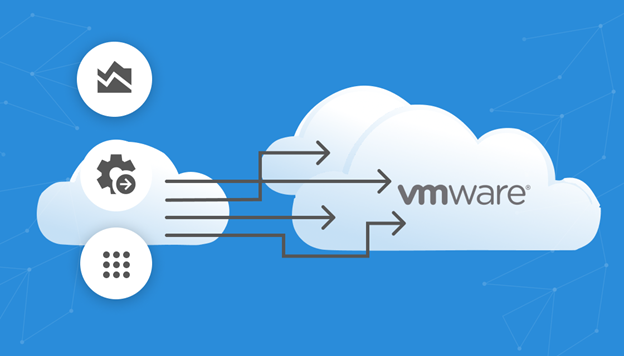
The migration of VMware workloads to the cloud can take one of three forms: rehosting workloads on native cloud infrastructure, moving them to a managed VMware cloud, and modernising certain applications. Some of the migration technologies available in the market include AWS Transform MGN, Azure Migrate, Google Migrate to Virtual Machines, and VMware HCX, which cover various methods like replication-based migrations, bulk transfers, cold moves, and low-downtime transfer of VMware workloads to the cloud.
Meaning: VMware cloud migration refers to the process of moving VMware-installed workloads to the cloud.
-
1. Understand your requirements, including dependencies, utilisation, licenses, and data flows beforehand.
-
2. Decide deliberately what to do with every workload: retire, retain, rehost, replatform, relocate, or refactor.
-
3. Budget for more than technology expenses—add remediation, testing, cloud expenses, and support.
-
4. Migrate workloads in waves; incorporate criteria to rollback and ensure data integrity.
-
5. Right-size physical resources shortly after the cutover.
VMware Cloud Migration Options
The right option depends on speed, tolerance for application changes, VMware exit goals, and operational skills.
|
Approach |
Best for |
Main advantage |
Main trade-off |
|
Rehost to native cloud VMs |
Stable applications requiring a fast move |
Reduces dependency on VMware infrastructure |
Requires target compatibility and operational changes |
|
Relocate to managed VMware cloud |
Tight timelines and low application change |
Familiar vSphere tools and operating model |
Can preserve licensing and architecture inefficiencies |
|
Replatform |
Databases, web tiers, backups, and monitoring |
Uses managed cloud services |
Requires testing and some redesign |
|
Refactor |
Strategic applications requiring elasticity |
Strongest long-term cloud benefit |
Highest cost, time, and delivery risk |
|
Retain or retire |
Unsupported, low-value, or soon-to-close systems |
Avoids unnecessary migration |
Requires clear ownership and governance |
AWS and Microsoft both use “R” strategy models, reinforcing the idea that every workload requires deliberate treatment rather than a default lift-and-shift decision.
VMware Migration Costs
There is no single rate that can be established for each VM. It’s possible to create a reliable estimate if we can divide the initial cost of migration from the cloud usage cost.
Cost Components :-
-
1. Assessment: Inventory of systems, dependencies, utilisation, compliance, business justification.
-
2. Remediation: Installing operating systems, creating/deleting code dependencies, fixing applications, and working on databases.
-
3. Tools and transfer: Replication, orchestration, test environments, connectivity, snapshots, and egress.
-
4. Parallel operation: Additional costs for on-premises and cloud during testing and transition period.
-
5. Services: Architecture, Engineering, Security, Testing, Program Management, and Hypercare.
-
6. Cloud run cost: Compute, storage, backup, monitoring, licences, support, and network traffic.
AWS Transform MGN currently does not charge for the first 90 days of server replication, but support systems, test computing, and storage are still chargeable. Azure Migrate has a provision of 180 free days of migration per server; storage and transfers are chargeable too.
Illustrative Budget Model
When planning, apply the following formula:
Migration budget = assessment + remediation + tooling + connectivity + parallel run + implementation + contingency
Set the contingency based on the number of unresolved dependencies and the complexity of the cutover. In fact, migrating a clean environment of 100 VMs may actually cost less than migrating only 40 tightly-coupled legacy systems.
Major Risks and Mitigations
The largest risks are usually hidden dependencies, data inconsistency, performance regression, security gaps, unplanned downtime, and uncontrolled cloud spending.
|
Risk |
Why it happens |
Recommended control |
|
Missed dependencies |
Incomplete discovery or undocumented integrations |
Dependency mapping, owner interviews, and packet-flow validation |
|
Data loss or inconsistency |
Writes continue during final synchronisation |
Freeze writes, reconcile records, and compare hashes or checksums |
|
Downtime overrun |
Cutover steps have not been tested |
Timed rehearsal, go/no-go gates, and rollback plan |
|
Performance issues |
Incorrect sizing, latency, or storage tier |
Benchmark the source and load-test the target |
|
Security exposure |
Weak IAM, open ports, missing logs, or unmanaged keys |
Landing-zone controls, least privilege, encryption, and central logging |
|
Cost overrun |
On-premises sizing is copied directly to the cloud |
Performance-based rightsizing, budgets, tagging, and FinOps reviews |
|
Licensing conflict |
Software terms change by host, core, region, or cloud |
Validate vendor entitlements before design approval |
Microsoft recommends end-to-end testing, checksum-based integrity checks, owner approval, and post-cutover monitoring. AWS guidance stresses availability, disaster recovery, operational readiness, and rollback testing.
Step-by-Step VMware to Cloud Migration Process
Migration management involves various sequential activities from the initial evidence to the ultimate optimisation of the process.
-
1. Define the results: Goals should be set regarding data centre closure, security, efficiency, and upgrading.
-
2. Discover: Determine usage of apps and databases, their critical dependencies, owners, and service level agreements (SLAs).
-
3. Establish the landing zone: Set up identity, network, logging, encryption policies, and backup.
-
4. Classify workloads: Employ the kind of R strategy, target environment, downtime limit, and rollback method.
-
5. Estimate costs: Calculate current TCO vs migration costs and predict cloud running expenses in the next three years.
-
6. Pilot: Test the suitable software and systems.
-
7. Define waves: Group applications in accordance with the dependencies and business schedule.
-
8. Train before implementation: Record estimated timings, owners, checks, communications, and rollback limits.
-
9. Implement the process: Synchronise and freeze write requests where necessary and check the data afterwards.
-
10. Optimise: Resize resources, dispose of temporary infrastructure, and shut down systems after the migration.
Azure Migrate is capable of discovering VMware servers, performance metrics, application information, SQL instances, databases, and dependencies. Google’s Migrate to Virtual Machines allows transit of VMware VMs to Compute Engine configurations, while HCX offers a wide variety of solutions for the transfer of VMware-based cars.
Benefits of VMware to Cloud Migration Services
VMware's cloud migration services can alleviate hardware refresh pressure, improve speed of activation, enhance the disaster recovery process, and enable access to managed databases, containers, analytics and automation.
The main benefit comes from the ability to eliminate unnecessary workloads and to restructure business processes instead of merely replicating the old data centre.
Limitations
Simply migrating to the cloud will not mean automatic cost savings.
Existing applications may still be hard to manage, workloads that need minimum latency may have to use a hybrid solution, and VMware implementations may still involve old techniques. In addition, it will require knowledgeable teams in the fields of cloud security, automation, observability, networking, and FinOps.
Common Migration Mistakes
-
1. Transferring each VM while still keeping unused systems.
-
2. Calculating costs based on the amount of capacity assigned rather than actual usage.
-
3. Overlooking DNS, certificates, accounts, schedules, and firewall rules.
-
4. Checking if servers boot rather than checking if business processes work end to end.
-
5. Purchasing long-term commitments to the cloud without waiting for workloads to settle.
-
6. Taking machines out of service without testing recovery and receiving approval from the application owner.
Best Practices and Expert Tips
1. Use Application Groups, Not Server Lists
Business services often span web, application, database, identity, file, and integration tiers. Migrating isolated VMs can break communication between these components.
2. Set Measurable Exit Criteria
Define acceptable latency, error rates, recovery targets, data variance, and cutover duration before migration begins.
3. Automate Repeatable Work
Use infrastructure as code, standard network patterns, migration runbooks, policy guardrails, and scripted validation.
4. Make Rollback Data-Aware
Switching DNS back is insufficient when users have already written new data to the cloud environment. The rollback process must include data reconciliation.
5. Delay Long-Term Commitments
Observe stable production demand before purchasing reservations, savings plans, or committed-use discounts. Otherwise, the organisation may commit to oversized resources.
Real-World Example
It could be that a vendor transfers ERP virtual machines to a managed VMware cloud, rehosts utility servers to a native virtual machine cloud, moves backups to object storage, and refines reporting database technologies.
In contrast, factory control systems may remain in place since machines rely on them and need real-time processing.
Composite Case Study
When analysing its 120 VMs, a company had 20 systems not in use, 10 systems geared toward accommodating workloads with high latency, rehosted 55, replatformed 25, and refactored 10 of its key service offerings.
The company's trial run with 12 VMs identified undocumented dependencies on DNS and certificates before moving to migrate the applications. By transitioning all the application groups in one step while obtaining sign-off from the application owners, a 17% reduction was made against the target footprint, as the company avoided the costs of migrating obsolete systems.
Key Takeaways
-
1. Select a migration strategy for each workload.
-
2. Migration-tool fees represent only one part of the total cost.
-
3. Dependency discovery and testing reduce the most serious risks.
-
4. Wave-based delivery is safer than one large cutover.
-
5. Post-migration rightsizing is essential for financial success.
People Also Ask: FAQs
1. What Are VMware to Cloud Migration Services?
They perform assessment, design, migration, validation, and optimisation of VMware workloads for deployment in the public or hybrid cloud, or in a managed VMware environment.
2. How Long Does a VMware Cloud Migration Take?
A smaller and simpler estate can take weeks for its migration, while a complicated enterprise project may consume a few months, since its timelines are influenced by multiple factors including dependencies, remediation, governance, testing, and downtime.
3. What Is the Cheapest VMware Migration Approach?
The rehosting migration method is typically the cheapest method since the first approach, but decommissioning old systems and right-sizing the resources can yield better benefits than merely migrating VMs.
4. Can VMware VMs Be Migrated with Near-Zero Downtime?
Yes, it is absolutely possible to ensure that downtime is minimised with the help of replication- and live-migration techniques, while the only requirement is that compatibility, bandwidth, licensing, and target need to be checked.
5. Should Every VMware Workload Move to the Cloud?
No, actually some workloads need decommissioning, or retaining, replacement, re-platforming, or modernisation rather than just migration.
Conclusion
VMware's cloud migration service can be successful if the steps of properly assessing clients’ systems, having different strategies for transferring different workloads, utilising reliable landing zones, following migration waves, executing practices of cutover, and carrying on continuous optimisation are followed and executed correctly.
The goal is not to move every VM from one place to another. The aim is to minimise risks and wastefulness and create a cloud operational model that is both safe and cost-effective.
Start with an assessment covering inventory, dependencies, licensing, target architecture, migration waves, risks, and three-year costs.
Choose a migration partner that provides evidence-based recommendations rather than a one-size-fits-all lift-and-shift proposal.
Anshul Goyal
Group BDM at B M Infotrade | 11+ years Experience | Business Consultancy | Providing solutions in Cyber Security, Data Analytics, Cloud Computing, Digitization, Data and AI | IT Sales Leader